
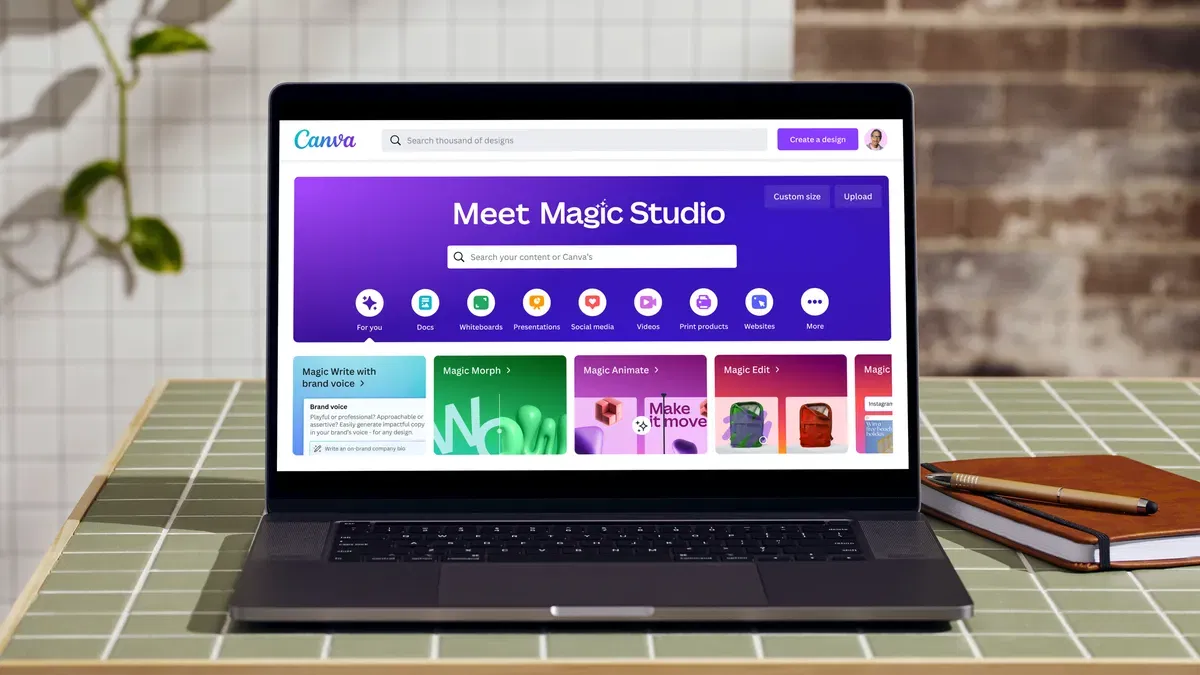
Canva has quickly become the go to design tool for Businesses, Marketers, and Creators who want eye catching results without needing to be a Pro Designer. From Social Media posts to presentations and everything in between, it makes creating look easy and even fun. But here’s the secret! Canva can do a lot more than just drag and drop.
At Chameleon, we know how important great design is for standing out online. That’s why we’ve put together our Top 10 Canva Tips! To help you get the most out of the platform and create designs that truly shine.
Chameleon’s Top 10 Canva Tips For Content Creators
1. Start with Templates
Why reinvent the wheel? Canva has thousands of professionally designed templates for pretty much everything such as Instagram posts, business cards, flyers, you name it. Starting with a template gives you a polished foundation and saves hours of trial and error. The best part? You can still make it totally your own by tweaking colours, fonts, and layouts. Think of it as your design shortcut or even inspiration. The hardest part of any design is finding where to start, how templates give you a head start on what to do.
2. Stay On Brand
Branding is everything, it’s what makes people recognise you. Canva’s Brand Kit is your best friend here. Upload your colours, logos, and fonts once, and boom! They’re saved forever. Every design you make can instantly look like it belongs to your brand family. No more hunting for hex codes or resizing logos at the last second.
3. Use Grids & Frames
A messy design means a distracted audience. Canva’s grids and frames help keep things tidy and professional. Grids make sure your layouts are evenly balanced, while frames let you drop images into fun shapes (like circles, letters, or even phone screens). A little alignment goes a long way toward making your work look sleek.
4. Keep It Simple
Here’s the golden rule of design: never overcomplicate it. Too many fonts, clashing colours, or endless elements can turn a design into a big mess. Stick to one or two fonts, use your brand colours wisely, and embrace white space. Remember, clarity always wins over chaos.
5. Explore Canva Elements
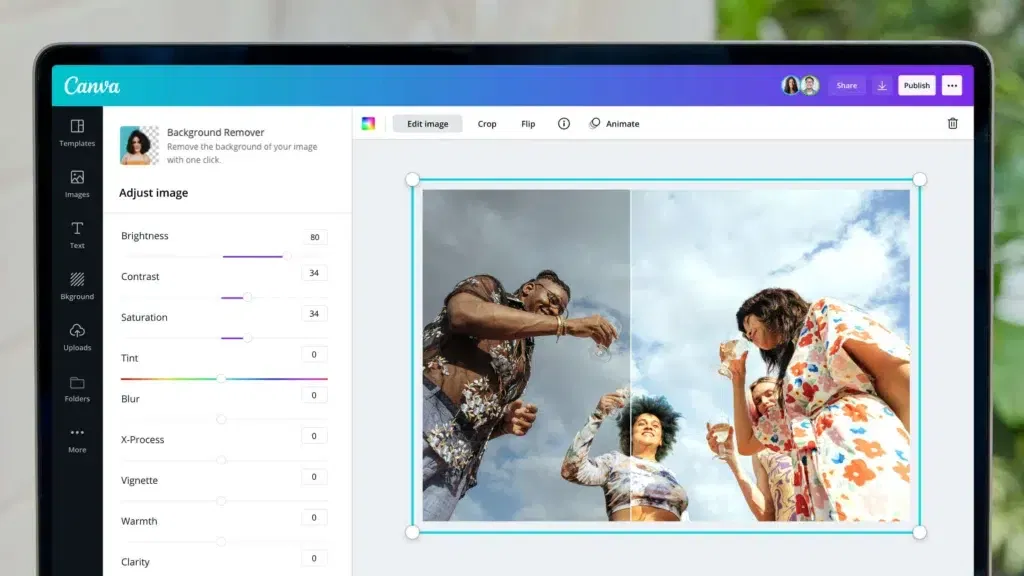
Think of Canva’s elements library like a giant treasure chest. Icons, illustrations, stickers, stock photos, it’s all in there, ready to level up your design. Even simple touches, like adding a small icon next to your text, can make your work feel polished and professional. Just don’t go overboard, less is more within the world of design!
6. Try Smart Mockups
Ever wanted to see your design on a t-shirt, mug, or laptop screen? The Smart Mockups feature makes it happen in seconds. Just upload your design, pick a mockup, and ta-da, you’ve got a realistic preview. It’s perfect for product sellers, client presentations, or even just showing off your work on social media.
7. Animate Your Designs
Static designs are great, but sometimes you need that extra pop. Canva lets you animate text, images, and whole layouts with just one click. Want your headline to fade in? Or your image to slide across the screen? Done within seconds. Just don’t go overboard, subtle movement grabs attention, while too much feels hectic.
8. Collaborate in Real Time
Designing doesn’t have to be a solo mission. Canva makes teamwork super easy by letting you invite others to view, comment, or even edit your projects in real time. This is a game changer for businesses, agencies, or even group projects, no more endless back and forth email threads with 20 different file versions.
9. Use Magic Tools
This is where Canva really shines. Its AI powered tools, like Magic Resize (resize your design to fit any platform instantly), Magic Write (generate copy right inside Canva), and the Background Remover (clean up product photos in seconds), can save you tons of time. It’s like having a mini design assistant working behind the scenes, and its extremely easy to use.
10. Export Correctly
Don’t let all your hard work go to waste by saving in the wrong format. Canva gives you options for a reason which you can edit and manage the file sizes allowing you to always have the correct size for whatever you need it for.
- PNG = High-quality images (great for Social Media)
- JPG = Smaller file size (good for web)
- PDF = Perfect for printing
- MP4 or GIF = Best for animated designs
Once finished, just hit the download button and choose your preferred format and size, and just like that, you are now a Canva Creator.

Top Canva Tips for Content Creators: Final Thoughts
Canva is more than just a drag and drop design tool, it’s a creative powerhouse once you know how to use it properly. From keeping your brand consistent to using advanced features like Smart Mockups and Magic Tools, there’s so much you can do to take your designs from ‘Nice’ to ‘Wow.’ Like all software, you need to play around, have fun with it, and soon enough, you’ll be designing like a pro.
Partner With Chameleon Today For Graphic Design & Social Media
Here at Chameleon, we specialise in the use of graphic design to power effective digital marketing strategies. From eye catching Web Design that keeps visitors engaged, to scroll stopping social media content that boosts visibility, our creative approach ensures your brand stands out online. We believe design is more than just visuals, it’s about telling your story, building recognition, and connecting with the right audience.
Ready to grow your online presence organically? Contact Chameleon today for our services.
Share This Content
More Chameleon Insights

- Advertising
- Digital Marketing
- General
- Social Media
- Social Media Advertising
Website Health Check Before Q4
The final quarter of the year is one of the busiest periods for a lot of businesses. This could be retail, services, manufacturing, hospitality or more. September often marks the beginning of an increase in enquiries, new projects and new customers. Customers are preparing for their end of year spending. Don’t make the mistake of…
28 Aug 2026

- Advertising
- Digital Marketing
- General
- Social Media
- Social Media Advertising
Personal Branding on LinkedIn: A Guide for Directors and Business Owners
LinkedIn has become much more than a recruitment platform. It is now one of the most powerful places to build professional relationships, establish credibility and generate new business opportunities. A company page is still important on LinkedIn, but people are increasingly choosing to engage with people rather than brands. Directors, founders and business owners who…
14 Aug 2026

- Advertising
- Digital Marketing
- General
- Meta Ads
- Social Media Advertising
How to Stop Bots Filling Out Your Leads Form on Meta Ads
Running lead generation ads on Meta can be a great source of potential customers, however at some point in their campaign many businesses begin to face a rather annoying problem, bot leads. Your campaign might look good at first glance. Leads are coming in steadily and your cost per lead is looking like a steal….
31 Jul 2026

- Advertising
- Digital Marketing
- General
- Optimising Website
- SEO
- Web Design
7 Signs Your Business Website Is Costing You Customers
Your website should be one of your greatest business assets. Your website works 24 hours a day and will help potential clients find your services, so this is often the first impression you give people. But are you unknowingly losing business because your website isn’t working as well as it should be? One problem can…
17 Jul 2026

- Birmingham SEO
- Digital Marketing
- General
- London SEO
- Marketing
- SEO
- SEO Birmingham
- SEO Service
- Social Media
- Web Design
What Makes Chameleon the Best SEO Agency?
SEO is undeniably one of the most crucial digital marketing investments a business can make, whether that’s to attract a larger number of website visitors, generate high-quality leads or simply increase the online visibility of the business. However, it’s also a field where agencies differ enormously. Many who have worked with an SEO agency might…
03 Jul 2026
- Advertising
- Digital Marketing
- General
- Google Advertising
- London SEO
- Marketing
- SEO
- SEO Birmingham
- Social Media
- Web Design
Why Is Brand Consistency Important?
Brand consistency is among the top elements that define trust, recognition and customer relationships. No matter where customers find out about your business, whether through your website, social media, email marketing campaign or even if you have a shop front, they should get the same experience in terms of message tone, images and brand identity….
19 Jun 2026

- Advertising
- Digital Marketing
- General
- Google Advertising
- London SEO
- Marketing
- SEO
- SEO Birmingham
- Social Media
- Web Design
Reactive Marketing
How Businesses Can Capitalise on the World Cup Sporting events offer fantastic opportunities for businesses. Increased social media engagement, spikes in online traffic. Events such as the 2026 FIFA World Cup will take centre stage. But many businesses believe that they need to be official sponsors with millions of pounds in marketing budgets to capitalise…
05 Jun 2026

- Advertising
- Digital Marketing
- General
- Google Advertising
- London SEO
- Marketing
- SEO
- SEO Birmingham
- Social Media
- Web Design
How to Increase Social Media Engagement
Social media engagement metrics such as likes, comments, shares, saves and video views indicate that your content reaches your target audience and prompts them to engage with it. When people interact with your business online, this builds trust and creates interest. As a result, you get leads and clients. Sometimes businesses see disappointing engagement rates…
29 May 2026

- Advertising
- Digital Marketing
- General
- Google Advertising
- London SEO
- Marketing
- SEO
- SEO Birmingham
- Web Design
Why Cheap Websites Cost More
These days, your website is your most important piece of business. Your website is everything – your storefront, your representative, your salesman, and much more. But with so many affordable web designs around, it is tempting to think that you should always opt for the cheaper option. And indeed, on paper, it seems like a…
15 May 2026

- Advertising
- Digital Marketing
- General
- Google Advertising
- London SEO
- Marketing
- SEO
- SEO Birmingham
- Web Design
SEO vs Paid Ads: Which is Better for Your Business?
A question that every business has to ask. If you are looking to grow your business online, increase visibility, and generate consistent leads, you will almost always reach this point. Should you invest in SEO or Paid Ads? At first glance, this may seem like a simple question. Paid Ads generate instant results. SEO takes…
24 Apr 2026

- Advertising
- Digital Marketing
- General
- Marketing
- Social Media
- Web Design
Top 8 Most Common Website Mistakes & How to Fix Them
Find Out The Top 8 Most Common Website Mistakes & How to Fix Them A website for a business serves as the first impression of a company for potential customers. It is not just a digital version of a company brochure, but a powerful tool for generating leads, representing a brand, and establishing trust with…
10 Apr 2026

- Advertising
- AI
- Digital Marketing
- General
- Marketing
- Web Design
What Does OpenAI’s Defence Deal Mean?
Artificial Intelligence has been living in two worlds. One world is the world of creativity. Marketing teams using it to move quicker, designers using it to generate more ideas. The other world is the world of speculation. The future of Artificial Intelligence, the risks of Artificial Intelligence. Well, that world is ending. The news from…
27 Mar 2026